
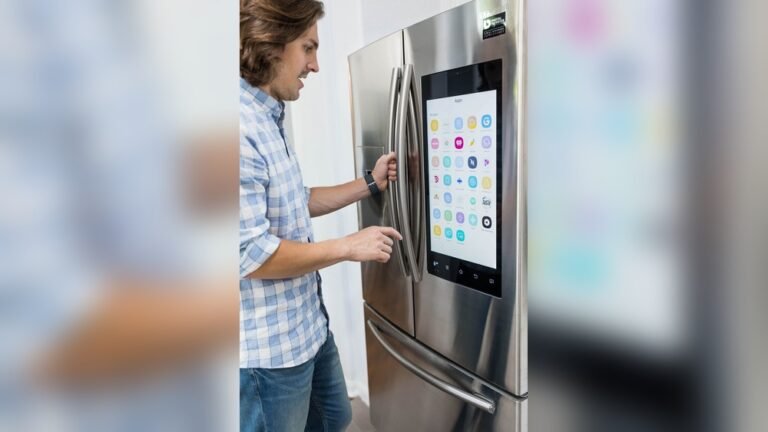
Smart fridges sound futuristic, but they are already changing how people store and manage food at home. If you’re curious about what a smart fridge can actually do, you’re not alone. Many people wonder if these high-tech appliances are worth the price, or if they are just a fancy version of a regular refrigerator. In this article, you’ll discover the real features, practical benefits, and common misconceptions about smart fridges. You’ll also see how they compare to traditional models, and what to consider if you plan to buy one.
What Makes A Fridge “smart”?
A smart fridge connects to the internet and uses sensors, cameras, and software to offer more than just cooling and freezing. These fridges often link with your smartphone or other smart devices, letting you control and monitor things from anywhere. Some even use artificial intelligence (AI) to learn your habits and suggest ways to reduce waste or save energy.
Basic smart fridge features include:
- Touchscreen displays for recipes, notes, and calendars
- Internal cameras to see food without opening the door
- Inventory tracking to monitor what’s inside
- Voice assistants like Alexa or Google Assistant
- Mobile app control for temperature, lighting, and alerts
But not all smart fridges have the same abilities. Some models focus on convenience, while others prioritize energy savings or food management.
Key Features And Real-world Uses
Modern smart fridges come with a range of features. Here’s what you can expect—and how these functions actually help.
1. Food Management And Inventory
With built-in cameras and sensors, a smart fridge can track what’s inside. Some models send notifications when items are low or about to expire. For example, you can check your fridge’s contents from your phone while shopping, so you don’t buy milk you already have.
Non-obvious insight: Inventory features depend on how well you update the fridge’s app. Most fridges can’t recognize all foods automatically—especially leftovers or unlabeled items.
2. Customizable Cooling Zones
Many smart fridges let you adjust temperature zones for specific foods. This helps keep produce, dairy, and meats fresher for longer. Some models even let you turn a freezer section into a fridge or vice versa.
3. Voice And App Controls
You can use a voice assistant to add groceries to your shopping list, play music, or ask for recipe ideas. Through a mobile app, you can set temperatures, check status, and get alerts if the door is left open.
4. Family Hub And Entertainment
Some smart fridges double as family command centers. You can leave notes, share calendars, display photos, or stream videos on the fridge’s screen. Kids can draw on the screen, and parents can sync reminders or meal plans.
5. Energy Monitoring
A smart fridge can show real-time energy use. Some models suggest ways to save power, or automatically adjust cooling during peak energy hours.
Non-obvious insight: Real energy savings depend on your usage habits. If you open the door often or ignore alerts, the benefit drops.

Credit: blog.constellation.com
How Smart Fridges Compare To Regular Fridges
To see if a smart fridge fits your needs, it’s helpful to compare with standard refrigerators. Here’s a quick look:
| Feature | Smart Fridge | Regular Fridge |
|---|---|---|
| Internet Connectivity | Yes | No |
| Internal Cameras | Yes (most models) | No |
| Inventory Tracking | Yes | No |
| Energy Monitoring | Yes | No |
| Touchscreen Display | Yes | No |
| Price Range | High ($2,000+) | Low-Mid ($500–$2,000) |
Popular Smart Fridge Models And Their Features
Manufacturers like Samsung, LG, and GE lead the market. Here’s a comparison of three top models:
| Model | Screen Size | Voice Assistant | Special Features | Estimated Price |
|---|---|---|---|---|
| Samsung Family Hub | 21.5″ | Bixby, Alexa | Recipe search, video streaming | $2,500–$4,000 |
| LG InstaView ThinQ | 29″ | Google Assistant, Alexa | Knock-to-view, Smart Diagnosis | $3,000–$4,200 |
| GE Café Smart | No large screen | Google Assistant, Alexa | Wi-Fi updates, Keurig K-Cup brewing | $2,800–$3,800 |

Credit: justenergy.com
What To Know Before Buying
A smart fridge can make life easier, but it’s not for everyone. Consider these points before choosing one:
- Cost: Smart fridges cost more than regular models. Repairs can also be pricier because of high-tech parts.
- Updates and Compatibility: Software updates may stop after a few years. Some features might not work with older smart home devices.
- Privacy and Security: As with any internet-connected device, there is a small risk of hacking. Make sure to set strong passwords and update software regularly.
- Learning Curve: These fridges have more settings and apps. Some people find them confusing at first.
- Longevity: The tech inside can become outdated faster than the cooling system itself.
Tip: Check if your favorite grocery apps, calendars, or voice assistants are compatible with the model you want.
Are Smart Fridges Worth It?
The answer depends on your lifestyle. If you love gadgets, cook often, or want better food management, a smart fridge may be worth the cost. For large families, the family hub features can make meal planning and communication easier.
However, if you mostly need basic cooling, a regular fridge will do just fine—and save you money.
For more on smart home tech, you can explore resources at Wikipedia.

Credit: www.samsung.com
Frequently Asked Questions
What Happens If The Wi-fi Goes Out?
Most smart fridges still function as normal refrigerators. However, remote features, inventory updates, and app controls won’t work until the connection is restored.
Can A Smart Fridge Order Groceries For Me?
Some models can connect to grocery delivery services or add items to your shopping list automatically. You usually need to set this up through the fridge’s app.
Are Smart Fridges Safe From Hacking?
Manufacturers design them with security in mind, but no device is 100% safe. Use strong passwords and keep your fridge’s software updated to lower risks.
Do Smart Fridges Use More Electricity?
They may use a bit more power for screens and connectivity, but many models are designed to be energy efficient overall. Real savings depend on how you use the fridge.
Is A Smart Fridge Hard To Install?
Installation is similar to a regular fridge. For full features, you need a Wi-Fi connection and sometimes a smart home hub or compatible devices.
Smart fridges are not just a trend—they offer real benefits for busy households and tech lovers. Still, it’s important to weigh the features against the cost and your actual needs. With technology changing fast, today’s smart fridges give a glimpse of how the kitchen will keep evolving.