
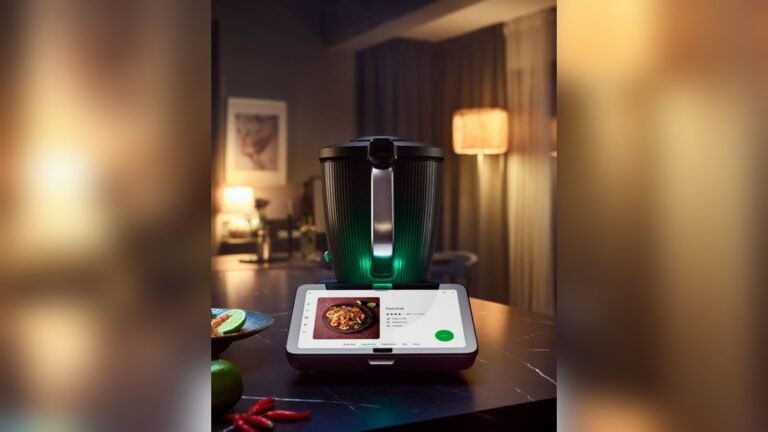
Smart kitchen devices are changing the way people cook and manage their homes. From smart refrigerators that track food expiry dates to Wi-Fi-enabled ovens you can control from your phone, these gadgets offer convenience and efficiency. But as more devices connect to the internet, they also become targets for hackers. A compromised kitchen gadget can give attackers access to your home network, personal data, and even your privacy. If you want to enjoy the benefits of a connected kitchen without worry, it’s crucial to secure your smart kitchen devices. Let’s explore practical steps and insights that will help you protect your home.
Why Smart Kitchen Devices Need Security
Smart kitchen devices use Wi-Fi, Bluetooth, or other wireless technologies to communicate. This makes them vulnerable to cyber attacks. According to Statista, over 80 million smart appliances are expected to be in US households by 2026. Many of these devices lack strong security features, and manufacturers sometimes fail to update their software. Hackers can exploit these weaknesses to gain access to your network or collect sensitive information, such as your daily routines or even credit card details stored for online grocery shopping.
A recent study found that over 60% of smart appliances have at least one security flaw. This means your kitchen is not just a place for food—it’s a gateway to your digital life. Understanding these risks helps you take action before problems arise.
Steps To Secure Smart Kitchen Devices
1. Change Default Passwords
Most smart kitchen devices come with default passwords. Hackers know these and use them to access devices. Always change the password during setup.
- Create strong passwords with a mix of letters, numbers, and symbols.
- Use unique passwords for each device.
2. Update Software Regularly
Manufacturers release firmware updates to fix security issues. Devices with outdated software are easy targets.
- Enable automatic updates if available.
- Check for updates every few months.
3. Use A Separate Wi-fi Network
Keep your smart kitchen devices on a guest network. This limits access to your main devices, like laptops and phones.
| Network Type | Devices Connected | Security Level |
|---|---|---|
| Main Network | Phones, Computers | High |
| Guest Network | Smart Kitchen Devices | Medium |
4. Disable Unused Features
Some devices offer features you don’t use, like remote access or location tracking. Turn off these features to reduce risk.
- Review device settings regularly.
- Only enable features you need.
5. Monitor Device Activity
Smart devices sometimes behave strangely if compromised. Watch for unexpected activity, such as devices turning on/off by themselves.
- Set up alerts if your router supports them.
- Check device logs if available.

Credit: its.uky.edu
Common Mistakes To Avoid
Using Weak Passwords
Many people use simple passwords like “123456” or “password. ” These are easy for attackers to guess. Always use strong passwords.
Ignoring Updates
Some users ignore update notifications because they are busy. Even a small delay can leave your device exposed. Make updates a regular habit.
Connecting Devices To Main Network
Putting all devices on the same network makes it easier for hackers to move from one to another. Always separate your networks.
Not Reading Privacy Policies
Manufacturers sometimes collect more data than you expect. Read privacy policies and adjust settings to protect your information.
Extra Security Tools
Routers With Advanced Security
Modern routers offer features like firewalls and intrusion detection. These help block attacks before they reach your devices.
| Router Feature | Benefit | Example Models |
|---|---|---|
| Firewall | Blocks unwanted traffic | Netgear Nighthawk |
| Intrusion Detection | Alerts on suspicious activity | Asus RT-AX88U |
Smart Device Management Apps
Many brands offer apps to monitor and control your devices. These apps can show you which devices are online, help you set security options, and notify you about updates.

Credit: www.amazon.com
Real-world Examples
One family in California discovered their smart oven was turning on at night. Investigation showed their device had been hacked because the default password was never changed. Another case involved a smart fridge sending spam emails, caused by outdated firmware. These examples show that even simple security steps can prevent serious problems.
Non-obvious Insights
- Device Visibility Matters: Devices that can be discovered easily by nearby phones or computers are more likely to be targeted. Turn off “discoverable” mode unless you need it.
- Manufacturer Reputation: Choose devices from brands that update software regularly and offer clear support. Cheap devices may save money upfront, but often lack good security.
Comparing Smart Kitchen Device Security Features
Smart kitchen devices offer different security levels. Here’s a comparison:
| Device Type | Typical Security Features | Update Frequency |
|---|---|---|
| Smart Refrigerator | Password protection, firmware updates | Every 3-6 months |
| Smart Oven | Remote lock, app notifications | Every 6-12 months |
| Wi-Fi Coffee Maker | Basic password, limited updates | Rarely |
Action Steps For Homeowners
- Make a list of all smart kitchen devices in your home.
- Check passwords and update them if needed.
- Review privacy and security settings for each device.
- Set reminders to check for software updates every quarter.
- Consider upgrading your router for better protection.

Credit: www.thermomix.com
Frequently Asked Questions
How Can I Tell If My Smart Kitchen Device Is Hacked?
Look for unusual activity like devices turning on/off without input, changes in settings, or strange messages. If you notice anything odd, reset the device and update your passwords.
Is It Safe To Connect Smart Kitchen Devices To Wi-fi?
Yes, but use a guest network and strong passwords. Regularly update device software and disable features you don’t use.
What Should I Do If My Device Doesn’t Offer Regular Updates?
Consider replacing it with a more secure model. Devices that don’t get updates are more likely to be hacked.
Can Smart Kitchen Devices Spy On Me?
Some devices have microphones or cameras. Always check what features are enabled and review privacy settings. Disable what you don’t need.
Where Can I Learn More About Smart Device Security?
Visit trusted resources like Consumer FTC for helpful guides and tips.
Securing your smart kitchen devices doesn’t have to be complicated. With the right steps and attention, you can enjoy a connected kitchen without sacrificing your privacy or safety. Take action today and stay one step ahead of cyber threats.