
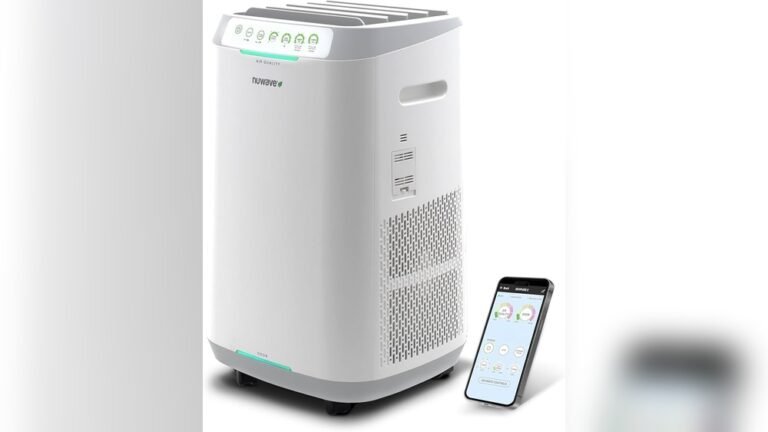
When your WiFi suddenly drops, you may notice that your smart appliances act differently. Lights might not respond to voice commands, your fridge stops sending alerts, or the thermostat ignores your phone. As homes fill with connected devices, it’s important to know what happens when the internet goes down. Smart appliances promise convenience, but their performance depends on stable WiFi. Let’s explore how these devices behave without a connection, what features you lose, and how to prepare for outages.
How Smart Appliances Depend On Wifi
Most smart appliances rely on WiFi to send and receive data. This lets you control them remotely, use voice assistants, and get real-time updates.
- Remote control: You can adjust settings from your phone, even away from home.
- Automation: Devices sync with routines, like turning off lights at bedtime.
- Notifications: Fridges alert you if the door is left open, ovens notify you when cooking is done.
Manufacturers design appliances to be internet-ready because it enables smart features. But the level of dependency varies. Some devices can work locally, while others become almost useless without WiFi.
What Stops Working When Wifi Goes Down
When WiFi fails, the impact depends on the device’s design. Here’s a breakdown by appliance type:
| Appliance | Remote Control | Voice Assistant | Manual Operation |
|---|---|---|---|
| Smart Lights | No | No | Yes |
| Smart Thermostat | No | No | Yes |
| Smart Refrigerator | No | No | Yes |
| Smart Oven | No | No | Yes |
| Smart Speaker | No | No | Limited |
Remote control and voice assistant features usually stop. Manual controls (like buttons or knobs) still work on most appliances, but advanced functions are lost.
Credit: www.walmart.com
Local Vs Cloud-based Features
Smart appliances use two main types of features: local and cloud-based.
- Local features: These are built into the appliance. For example, a smart light can still turn on/off from the wall switch. Basic cooking functions on a smart oven remain usable.
- Cloud-based features: These require internet. Examples include recipe suggestions on a smart fridge or scheduling commands from your phone.
Some brands design appliances to keep core functions available during outages. Others depend heavily on cloud servers. If you want reliability, check which features work offline before buying.
Example: Smart Thermostat
A smart thermostat can adjust the temperature using its own controls, even if WiFi is down. But you lose remote access, scheduling from your phone, and energy reports.
Example: Smart Refrigerator
Smart fridges can still cool food, but features like inventory tracking, expiration alerts, and remote monitoring stop. You can’t see inside from your phone or get notifications.
Common Problems During Wifi Outages
WiFi outages cause more issues than just loss of smart features. Here are some common problems:
- Loss of automation: Scheduled routines and scenes don’t run.
- Delayed notifications: Important alerts (like a water leak) don’t reach your phone.
- Voice assistant failures: Alexa, Google Assistant, or Siri become unresponsive.
- Device confusion: Some appliances may freeze or restart as they try to reconnect.
Not all appliances recover smoothly when WiFi returns. Sometimes, you need to reset or reconfigure the device.
| Problem | Immediate Impact | Recovery Steps |
|---|---|---|
| Automation Loss | Routine stops | Re-sync device |
| Notification Delay | No alerts | Check app status |
| Device Freeze | Unresponsive | Manual restart |

Credit: www.ebay.com
How To Prepare For Wifi Outages
Planning ahead makes smart appliances more reliable. Here are practical steps:
- Choose devices with local fallback: Prefer appliances that work offline. Read product reviews and manuals.
- Keep manual controls accessible: Don’t block switches or buttons with furniture.
- Backup routines: Write down your daily automations, so you can do them manually if needed.
- Use wired connections when possible: Some hubs support Ethernet, which is more stable.
- Check for firmware updates: Manufacturers often improve offline performance.
- Invest in a good router: Quality routers reduce outages and reconnect faster.
Many people forget that smart appliances are only as reliable as their network. Backup plans help you stay comfortable during unexpected downtime.
Real-world Examples And Insights
A 2026 survey by Statista found that 51% of US households use at least one smart appliance. When WiFi goes down, most people report frustration with lost convenience, but basic functions continue.
- Smart speakers: Without WiFi, these can sometimes play music from local sources but lose voice search and streaming.
- Smart ovens: You can cook, but remote preheating and recipe access are blocked.
- Smart washing machines: Cycles run as usual, but remote start and maintenance alerts stop.
Many beginners believe appliances stop working completely during outages. In reality, most keep their essential function but lose advanced features. Another common misconception is that devices reconnect automatically. Sometimes, you must restart the appliance or app to restore full function.
Credit: www.walmart.com
Frequently Asked Questions
What Happens To Smart Appliances During A Power Outage?
Smart appliances shut down like regular devices when power goes out. When power returns, some may need to reconnect to WiFi and re-sync with apps.
Can Smart Appliances Work Without Wifi?
Most can perform basic functions, like cooling, heating, or washing. However, remote control, automation, and notifications stop until WiFi is restored.
How Do I Reset A Smart Appliance After A Wifi Outage?
Usually, unplugging and re-plugging the device helps. Some appliances need you to re-enter WiFi credentials or restart the app. Check your user manual for specific steps.
Are There Smart Appliances Designed For Offline Use?
Yes, some brands design appliances with strong local controls. Before buying, look for devices that advertise offline functionality or local automation.
Where Can I Learn More About Smart Home Reliability?
For deeper research on smart appliances and network reliability, visit Wikipedia’s smart device page.
WiFi outages are inconvenient, but most smart appliances keep their core functions. If you understand which features depend on the internet, you can prepare for downtime and make smarter buying choices. With a little planning, your connected home stays comfortable and efficient—even when the network drops.