
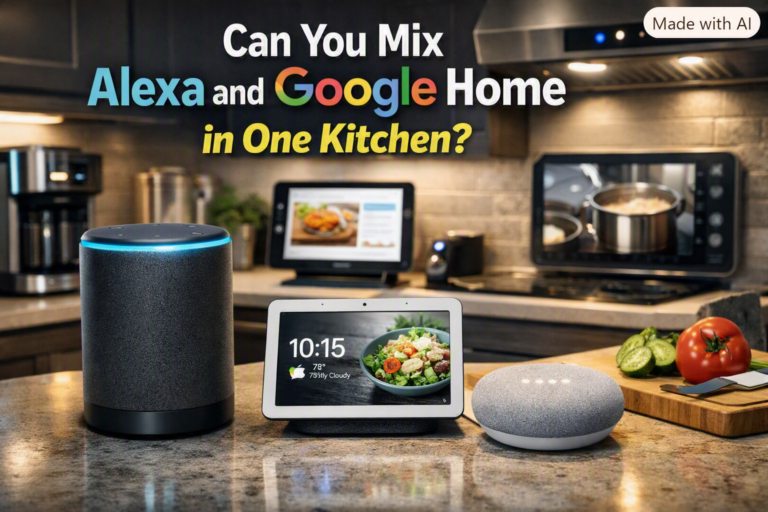
Can You Mix Alexa And Google Home Devices in One Kitchen
Smart kitchens are becoming more common, with people using devices like Amazon Alexa and Google Home to control lights, timers, music, and more. But what if you want the best of both worlds? Can you use Alexa and Google Home together in one kitchen, or will they get in each other’s way? Let’s explore how these devices work side by side, what you need to know, and how to set up a kitchen that uses both smart assistants smoothly.
How Alexa And Google Home Devices Work
Alexa and Google Home are both voice assistants that respond to commands and questions. You can ask them to set timers, play music, add items to your shopping list, or control smart plugs and lights. However, they are made by different companies and use separate ecosystems.
Alexa devices connect to the Amazon ecosystem. They work best with Amazon services and Alexa-compatible smart products. Google Home devices connect to the Google ecosystem and are designed to work with Google services like Google Calendar or Google Shopping List.
Both types use Wi-Fi and Bluetooth but have their own apps and setup steps. This means they do not directly talk to each other, but they can run side by side in the same room or kitchen.
Can Alexa And Google Home Devices Work Together?
You can use both Alexa and Google Home devices in one kitchen. They won’t interfere with each other’s basic functions. For example, you can say “Alexa, set a timer for pasta,” and “Hey Google, play jazz music,” and each device will respond to its own trigger word.
Here are some key points:
- No direct connection: Alexa and Google Home cannot control each other.
- Separate apps: You need the Alexa app for Alexa devices and the Google Home app for Google devices.
- Smart home device overlap: Many smart plugs, bulbs, and switches now support both Alexa and Google Home, so you can control them with either.
Example: Using Both Devices
Imagine you have an Echo Dot and a Nest Mini in your kitchen. You might use Alexa to control your Philips Hue lights and Google Home to add items to your Google Shopping List. Both will function as usual if you address them by their trigger words.
Setting Up Both Devices In One Kitchen
If you want Alexa and Google Home in your kitchen, here’s a simple guide:
- Choose your devices: For example, an Echo Show and a Google Nest Hub.
- Connect to Wi-Fi: Make sure both devices are on the same Wi-Fi network for best performance.
- Set up in their apps: Use the Alexa app for Amazon devices, Google Home app for Google devices.
- Name devices clearly: For example, “Kitchen Alexa” and “Kitchen Google.” This helps you keep track in the apps.
- Assign smart devices: Many smart plugs, bulbs, and appliances can be added to both apps. If not, assign each device to one ecosystem.
Quick Setup Comparison
Here is a comparison of the setup process for each:
| Step | Alexa Devices | Google Home Devices |
|---|---|---|
| Download App | Alexa app | Google Home app |
| Connect to Wi-Fi | Yes | Yes |
| Add Smart Devices | Works with Alexa | Works with Google Assistant |
| Voice Activation | “Alexa” | “Hey Google” |
Advantages Of Using Both Systems
Why would you want both assistants in one kitchen? Here are some reasons:
- Best features from each: Alexa excels at shopping lists and Amazon integration, while Google Home is great for Google searches and calendars.
- Wider device compatibility: Some smart kitchen gadgets only support one system. Having both gives you more choices.
- Family preferences: Maybe one person likes Alexa, another prefers Google.
Real-world Example
You might use Alexa to order groceries from Amazon Fresh, and Google Home to show a recipe video from YouTube. This flexibility can make your kitchen smarter and more convenient.
Possible Issues And How To Solve Them
Mixing Alexa and Google Home is not always perfect. Here are some challenges and solutions:
- Voice confusion: If both devices are close together, they may both respond. Place them apart (at least 3 feet) and speak clearly.
- Duplicate responses: Sometimes, both will answer if you use similar trigger words. Adjust the wake word (for Alexa, you can change it to “Echo” or “Computer”) to reduce this.
- Smart device control: If a smart plug or bulb is only compatible with one assistant, you must use that system to control it.
Device Compatibility Table
Here’s a look at common kitchen smart devices and which systems they support:
| Device Type | Alexa Compatible | Google Home Compatible |
|---|---|---|
| Smart Plugs | Yes (most brands) | Yes (most brands) |
| Smart Bulbs | Yes | Yes |
| Smart Ovens | Some brands | Some brands |
| Smart Fridges | Some Samsung, LG | Some Samsung, LG |
| Coffee Makers | Few brands | Few brands |
Non-obvious Insights When Mixing Alexa And Google Home
- Smart device routines don’t sync: If you set up a “Good Morning” routine on Alexa, it won’t trigger Google Home actions, and vice versa. Plan routines separately for each system.
- Voice assistant learning: Over time, both assistants learn your voice and preferences. If your family uses both, each person should create their own profile in both apps for the best experience.
Practical Tips For A Smooth Experience
- Group devices by task: Use Alexa for timers and shopping, Google Home for recipes and music.
- Label devices: Add stickers or labels so guests know which device to talk to.
- Update software regularly: This keeps both systems running smoothly and makes sure you get new features.
When Mixing Both Systems Is Not Ideal
If you want a simple, unified smart kitchen where all devices work together, sticking to one assistant is easier. Mixing Alexa and Google Home is best for users who want flexibility and don’t mind managing two apps.
Frequently Asked Questions
Can Alexa Control Google Home Devices?
No, Alexa cannot control Google Home devices directly. Each system controls only its own devices and routines.
Will Alexa And Google Home Both Respond At The Same Time?
Sometimes, if both hear their trigger words. To avoid this, place them apart and change the wake word on Alexa if needed.
Can I Use One Smart Plug With Both Alexa And Google Home?
Many new smart plugs support both systems. Check the product box or description for compatibility with both Alexa and Google Assistant.
Which Assistant Is Better For Recipes In The Kitchen?
Google Home is often better for recipes, as it can search the web and play YouTube cooking videos. Alexa is good for step-by-step skills but has fewer video options.
Where Can I Learn More About Smart Home Compatibility?
You can find more details on device compatibility and updates from the official Google Nest Help page.
Mixing Alexa and Google Home in your kitchen is possible and can offer the best features from both systems. With careful setup and a little practice, you can enjoy a smarter, more flexible kitchen experience.