
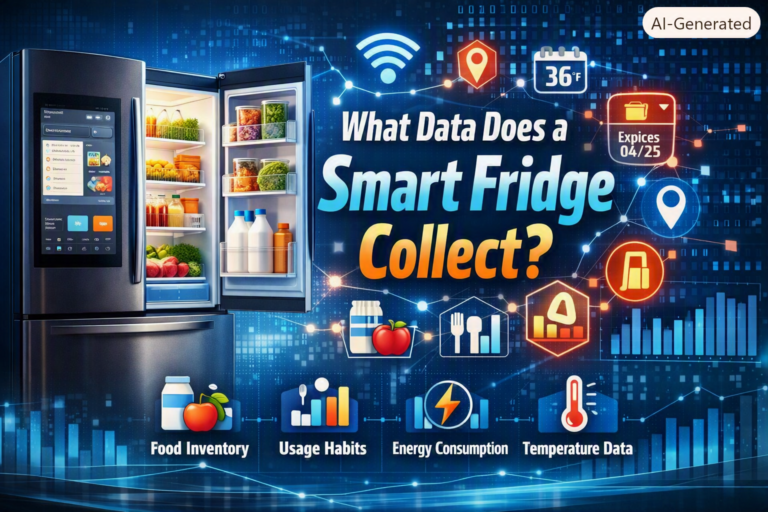
Smart fridges are changing the way we manage food at home. These advanced appliances do more than just keep things cold. They connect to the internet, track what you store, and even suggest recipes. But behind all these features, smart fridges are constantly gathering data—sometimes more than most people realize.
Understanding what data a smart fridge collects can help you use these devices wisely and keep your information safe.
Types Of Data Collected By Smart Fridges
Smart fridges collect a wide range of data. Some information is essential for core functions, while other data supports extra features. Here’s a breakdown of the main categories:
1. Inventory Data
One key feature is food inventory tracking. Many smart fridges use cameras, weight sensors, or barcode scanners to monitor what goes in and out. This data includes:
- Item names (like milk, eggs, vegetables)
- Quantity and size (for example, 2 gallons of milk)
- Expiration dates (to suggest when you should use items)
This helps with shopping lists and reducing food waste. Some models even notify you when you’re running low on essentials.
2. User Interaction Data
Smart fridges record how you interact with them, such as:
- Touchscreen activity (what apps you use, like calendars or note-taking)
- Voice commands if you use voice assistants
- Favorites (such as most-used recipes or common shopping items)
This data helps the fridge personalize suggestions and improve user experience.
3. Usage And Performance Data
To keep things running smoothly, smart fridges collect technical data about:
- Temperature settings and changes
- Door opening and closing times
- Energy consumption patterns
- Maintenance alerts (such as filter replacement)
Manufacturers use this data for remote diagnostics and to improve future models.
4. Personal And Household Data
Some smart fridges connect to your home network and sync with other devices. They may gather:
- Wi-Fi network details
- User profiles (names, emails, schedules)
- Connected accounts (like Google Calendar or shopping services)
This makes it easier to share information between devices but also raises privacy concerns.
5. Location Data
If you enable certain features, a smart fridge might access your location. For example, when you use grocery delivery apps or weather updates, your zip code or address might be collected.
How Smart Fridges Use This Data
Smart fridges don’t just collect data—they use it to make your life easier. Here’s how:
- Creating shopping lists: Automatically adds items you’re running low on.
- Suggesting recipes: Based on what’s inside your fridge.
- Sending alerts: For food that’s about to expire or if the door is left open.
- Remote monitoring: Lets you check your fridge contents from your phone.
A non-obvious insight is that most smart fridges keep a history of your inventory over time. This helps them predict your shopping habits and suggest bulk discounts or meal plans.
Data Sharing And Privacy Concerns
While smart fridges offer many benefits, the data they collect can also be shared with manufacturers, third-party apps, or even advertisers. This happens in several ways:
- Cloud storage: Data is often stored on company servers for remote access.
- Third-party integrations: Apps like recipe finders may receive access to inventory data.
- Advertising: Some companies use your food preferences to target ads or offers.
What’s less obvious is that even energy usage patterns can reveal your daily schedule—like when you’re home or away. This information, if not properly protected, could be valuable to marketers or, in rare cases, hackers.
Comparison: Traditional Vs Smart Fridge Data Collection
Here is a simple comparison to highlight the difference in data collection:
| Feature | Traditional Fridge | Smart Fridge |
|---|---|---|
| Food Inventory | None | Yes (detailed tracking) |
| User Interactions | No tracking | Touch, voice, app usage |
| Energy Usage Data | No tracking | Monitored and reported |
| Personal Data | Not collected | User profiles, schedules |
Data Security: What You Should Know
Data security is a major concern with any connected device. Here are some essential points:
- Encryption: Most smart fridges use encryption to protect data sent over Wi-Fi.
- Access controls: Usernames and passwords are needed for sensitive features.
- Software updates: Regular updates fix security holes, but many people forget to install them.
Many users overlook the importance of regularly changing passwords and updating software. Outdated systems are more vulnerable to breaches.
Real-world Example: Samsung Family Hub
The Samsung Family Hub is a popular smart fridge. It uses cameras and sensors to track your food and suggests recipes based on what you have. It also connects to your Samsung account and smart home devices. According to Samsung SmartThings, user data is stored securely but may be shared with trusted partners to improve services.
Data Table: What Your Smart Fridge Might Know
Here’s an overview of what data points a smart fridge can collect and why:
| Data Collected | Purpose | Shared With Third Parties? |
|---|---|---|
| Inventory Items | Shopping, recipes | Yes, if you enable connected apps |
| Energy Usage | Efficiency tracking | Sometimes, for analytics |
| User Profiles | Personalization | Rarely, with your permission |
| Device Diagnostics | Maintenance, repairs | Yes, with manufacturer |
Tips To Manage Your Data
To stay safe and in control, consider these steps:
- Read privacy policies before connecting your fridge to apps.
- Disable features you don’t use, such as voice recording or location sharing.
- Update software regularly for better security.
- Set strong, unique passwords for your smart home accounts.
- Check data sharing settings to limit what goes to third parties.
Frequently Asked Questions
What Types Of Sensors Do Smart Fridges Use To Collect Data?
Smart fridges often use cameras, weight sensors, and barcode scanners. These sensors help track what is stored, monitor freshness, and keep inventory up to date.
Can I Turn Off Data Collection On My Smart Fridge?
Most smart fridges allow you to disable certain features in the settings menu. However, some core data collection is needed for basic functions like temperature control.
Is My Personal Information Safe With A Smart Fridge?
Manufacturers use encryption and access controls to protect your data. Always keep your fridge’s software updated and use strong passwords to increase safety.
Do Smart Fridges Share My Data With Advertisers?
Some brands share non-personal data with advertisers, especially if you use connected shopping or recipe apps. Check privacy settings to control what you share.
What Happens To My Data If I Sell Or Recycle My Smart Fridge?
You should factory reset your smart fridge before selling or recycling it. This removes personal data and disconnects your accounts from the device.
Smart fridges offer convenience, but understanding what data they collect helps you make informed choices. By managing your privacy settings and staying aware, you can enjoy the benefits while protecting your information.